Network Attached Storage (NAS) is the most reliable way to store, share, manage, and protect your files when you’re working with multiple users and devices. NAS consolidates your data into a single, accessible hub, providing enterprise-level features. Whether you’re backing up family photos, editing large video projects, or running a business network, NAS drives are flexible and high-performing – just what you need.
What Is Network Attached Storage?
NAS is a dedicated storage system connected to your network, allowing multiple users and devices to access files in one central place and at the same time. Unlike external drives that connect directly to a single computer, NAS works over your local network (and remotely via the internet), providing centralised storage that’s always-on and accessible even when your primary computer is switched off. Network Attached Storage (NAS) devices make collaboration, file backup, and file sharing seamless.
A Centralised Storage Hub
With NAS drives, you don’t have to mess around with assorted USB drives and cloud accounts. Store all of your data and files in one location, accessible from your Mac, PC, smartphone, or tablet. Automatically sync documents, photos, and videos, or set up scheduled backups to protect your important files. The centralised storage eliminates duplication to keep you organised.
Key Network Attached Storage Features
- Data redundancy with RAID: Protect files from drive failure with RAID setups (RAID levels 0, 1, 5, 6 and 10).
- Remote access & cloud integration: Work from anywhere with secure mobile apps and browser-based access. Many NAS devices even sync with popular cloud platforms for hybrid backup solutions.
- Expandable storage: Add drives as your needs grow, with hot-swappable bays that make upgrades quick and easy.
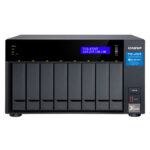
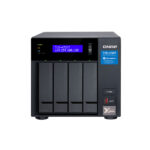
- High-speed connections: Options like 10GbE and Thunderbolt 3 provide the lightning-fast data transfers creative professionals need for editing video directly from the NAS. Models like the QNAP TVS-872XT feature M.2 PCIe NVMe SSD slots for cache acceleration.
- App support & automation: From file versioning to user permissions, NAS operating systems (such as Synology DSM or QNAP QTS) make it easy to customise your storage to your workflow.
NAS Use Cases – Who Needs It and Why?
Network Attached Storage (NAS) devices are very versatile, making them valuable in any scenario, from personal file management and home media libraries to enterprise-level data operations.
Home Users & Personal Backups
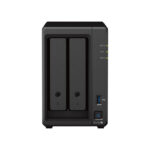
Running out of space on your laptop? If you’re tired of juggling cloud subscriptions, NAS is a secure and private alternative. You can store family photos, videos, and music collections in one central library, accessible from your smart TV, tablet, or phone. The Synology DS723+ (2-bay NAS) is an excellent entry point for households, providing 2-bay expandability with user-friendly software. You can set up automated backups for every device in your household and stream media at your leisure.
Creative Professionals & Teams
For creative teams, Network Attached Storage gives video editors and production teams shared access to large files in real time – ideal for collaborative editing and large-scale archiving. When you need massive storage capacity, team members can work from the same central library, and file versioning prevents accidental overwrites. The QNAP TVS-872XT provides 10GbE and Thunderbolt 3 connectivity, as well as M.2 PCIe NVMe SSD slots for caching, meaning you can edit 4K video directly from the NAS without bottlenecks. No more passing external drives around – NAS keeps everything accessible, organised, and secure.
Small Businesses & IT Departments
Network Attached Storage (NAS) devices are one of the most cost-effective IT investments you can make. The drives double as a file server, backup solution, and security hub. They provide automated backups, disaster recovery options, and role-based access controls. This means employees can work efficiently while administrators retain complete oversight of who can access what data.
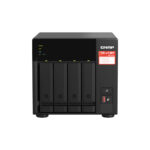
With devices like the QNAP TS-473A-8G, IT teams can set user permissions, ensure GDPR-compliant data protection, and automate off-site cloud backups. From accountants sharing spreadsheets to retail businesses handling stock images, NAS provides reliable, scalable infrastructure without the expense of a full server.
How to Pick the Right NAS System for Your Setup
It all depends on your storage needs and budget, as well as future expansion requirements. Here are some things to think about before making a decision…
Bay Count (1-Bay, 2-Bay, 4-Bay+)
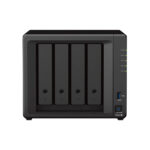
An entry-level 1-bay Network Attached Storage drive is fine for basic personal backups, but lacks redundancy. A 2-bay device gives you RAID 1 mirroring for extra security, while 4-bay models (such as the Synology DS923+) offer RAID 5/6 for larger, more flexible setups. If you’re handling huge datasets, your work will benefit from 8-bay or rackmount solutions that have the power and redundancy required by studios, enterprises, and data-heavy businesses.
HDD vs. SSD Systems
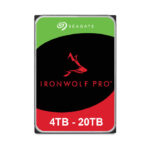
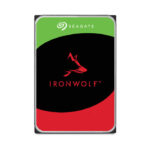
Traditional hard drives offer maximum capacity per pound spent, with options like the Seagate IronWolf PRO providing up to 10TB per drive. These drives are designed for high performance in multi-bay NAS enclosures. SSDs, or hybrid systems with NVMe caching, deliver much faster speeds, which is critical for workloads like video editing or database handling.
NAS Connectivity Options
How your Network Attached Storage devices connect to the rest of your setup makes a big difference to performance. Most people stick with Ethernet: it’s reliable, fast, and easy to scale if you’re running multiple users in a studio or office. Creative teams and IT departments are increasingly moving to 10GbE networks for bandwidth-intensive professional workflows. Thunderbolt 3 is the go-to if you’re shifting huge video files or need the absolute lowest latency for editing or rendering. Some NAS devices support Wi-Fi, although wired connections are generally faster and more reliable. The bottom line? Match your NAS connectivity to the scale of your projects.
Why Buy NAS Devices from DataStores?
At DataStores, we help you find the right solution for your specific needs. As a Network Attached Storage specialist, we stock leading brands like Synology, QNAP, Seagate, and WD, along with compatible drives and accessories. Our team understands the demands of creative workflows, IT infrastructures, and home users, so we can make recommendations and provide guidance, from initial setup through to advanced RAID configuration. Ready to upgrade your storage? Contact DataStores for a quote today.